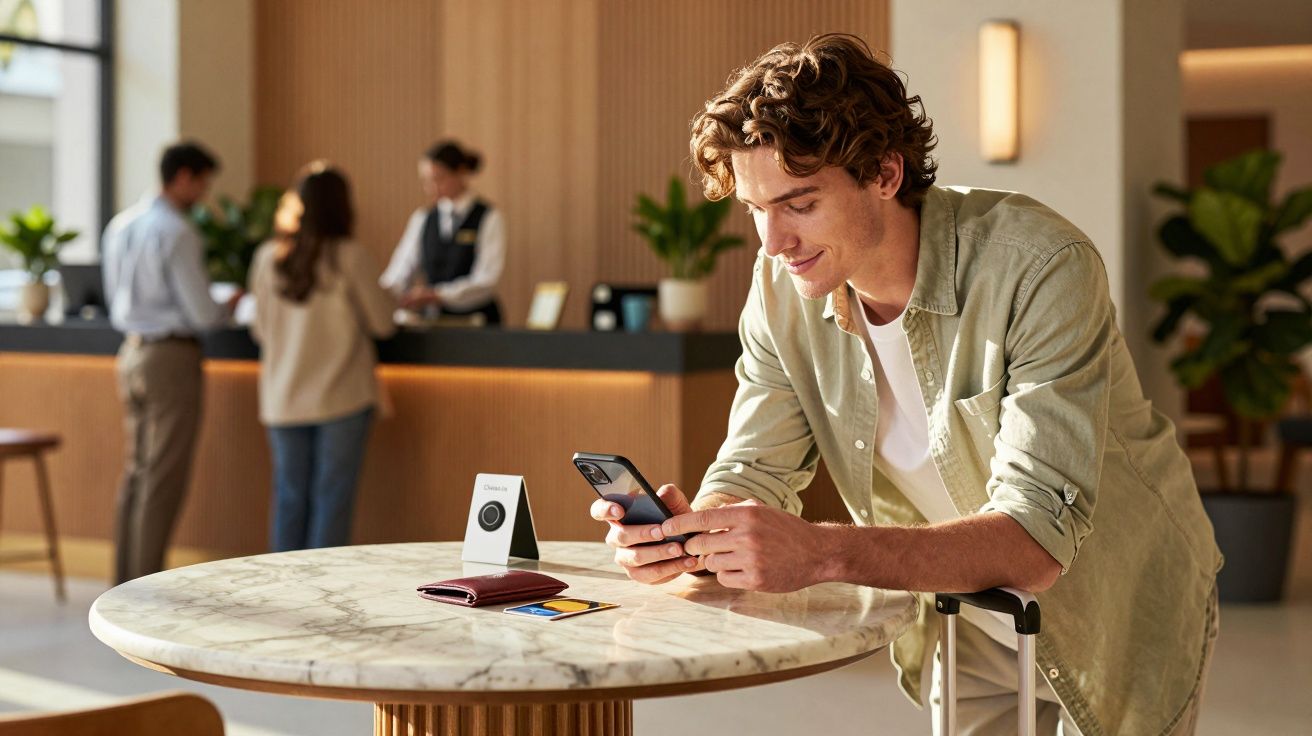
You arrive with a suitcase in one hand and your phone in the other, and Mobile check-in is now increasingly the thing that decides whether you head straight to your room or join a queue. In many hotels, that process is quietly being tied to Apple Wallet, where a digital room key sits next to your boarding pass and bank cards. It matters because it changes the first ten minutes of a stay - less friction when it works, and a different kind of stress when it doesn’t.
Not long ago, “checking in” meant a desk, a pen, and a quick chat about breakfast times. Now, the interaction is often reduced to a pre-arrival message, a tap to confirm your details, and a code that opens a lift.
The quiet shift: check-in is moving away from the desk
What’s reshaping hotel arrivals isn’t one flashy invention. It’s a stack of small changes that add up to the same outcome: fewer reasons to stop at reception.
You see it in subtle ways. A text arrives on the train asking for your ETA. The app offers a room number before you’ve even entered the lobby. The “front desk” becomes a person standing near a podium, mainly there for exceptions.
The new check-in isn’t always “contactless”. It’s more like “optional contact”.
Hotels like it because it smooths staffing pressures and shortens bottlenecks at peak times. Guests like it because nobody enjoys arriving tired and being asked to spell their email address out loud.
What “mobile check-in” actually looks like in real life
The trend can feel confusing because different brands use the same language for different systems. Here are the most common versions showing up right now:
- Pre-arrival verification: you confirm identity details, payment, and preferences before you arrive.
- In-app room assignment: the hotel allocates a room in the app, sometimes with an option to request a floor or bed type.
- Digital room keys: your phone becomes the key, either via the hotel app or a wallet-based pass.
- Lobby kiosks: touchscreens print keycards for people who don’t want (or can’t use) the app.
- Messaging-first reception: WhatsApp/SMS/app chat replaces most quick questions that used to happen at the desk.
None of this is particularly dramatic. That’s why it’s spreading. It feels like the same stay - until you notice you haven’t spoken to a human.
Why hotels are pushing it (and why guests are accepting)
This shift isn’t just about “tech for tech’s sake”. There are practical forces behind it, and you can feel them if you travel even a little.
Staffing and queue maths
Front desks are expensive to run at full capacity, especially during the same two arrival windows every day. Mobile check-in turns a single long queue into dozens of tiny interactions spread across the afternoon.
Upsells without the awkwardness
Apps and pre-arrival messages are also good at quietly selling add-ons: paid early check-in, room upgrades, parking, breakfast. It’s the same conversation - just moved from face-to-face to a screen where saying “no thanks” feels easier.
Privacy and speed for the guest
A lot of guests prefer not to say their full name, address, and room number within earshot of a busy lobby. Tapping “confirm” in an app can feel calmer, especially after a late flight.
The three friction points nobody mentions until you’re stuck with them
Mobile check-in works beautifully - right up until it doesn’t. And the failure modes are different from old-school check-in, which is why this trend can catch people off guard.
1) Identity checks still exist, they’re just moved around
Some hotels still need to see a passport or driving licence, particularly for international guests or certain rate types. That can mean you think you’re checked in, but you’re still required to stop at reception for verification.
If you’re travelling for work, it can also clash with company cards, incidental deposits, or bookings made by a third party.
2) Digital keys are sensitive to the boring stuff
Battery levels, Bluetooth, NFC settings, OS updates, and patchy lobby Wi‑Fi all matter. A plastic keycard rarely “needs an update”.
If you’re arriving late, it’s worth having a backup plan before you’re standing outside your door at midnight.
3) Accessibility and inclusion aren’t automatic
Not every guest can or wants to use a smartphone for access. Some travellers share one phone between family members. Others may not have roaming data, may struggle with small screens, or may prefer face-to-face support for safety reasons.
A genuinely smooth arrival still needs a human option that doesn’t feel like a punishment.
A quick guide to making the new check-in work for you
If you like the idea of skipping reception, a few small habits make a big difference.
- Do the pre-arrival steps on stable Wi‑Fi (at home or on the train), not in the lobby.
- Take a screenshot of your reservation number and hotel address in case the app glitches.
- Charge your phone before arrival, or carry a small power bank if you’re landing late.
- Check whether the hotel still requires ID so you’re not surprised.
- Keep one physical card anyway if you’re travelling with someone who needs independent access.
That last point matters more than people expect. A couple trying to “go phone-only” often discovers the awkward moment when one person goes to the gym and the other can’t get back into the room.
What to expect next: “soft check-in” as the default
The next phase isn’t likely to be robots at the desk. It’s more subtle: the desk becomes a help point, not the main gate.
Here’s how the flow is changing in many mid-range and business hotels:
| New default | What it replaces | What it changes |
|---|---|---|
| Pre-arrival confirmation | Paper forms at reception | Less time spent on admin |
| Messaging for quick queries | Calling the desk | Faster, more trackable replies |
| Digital or kiosk keys | Handing over cards | Fewer queues at peak times |
The result is a check-in that looks almost invisible from the outside. You still “arrive”, but the formalities are already done.
The trade-off: convenience for data, and speed for less human context
There’s a reason this trend feels quietly uncomfortable to some travellers. When check-in becomes a phone flow, you’re swapping a human interaction for a data exchange.
That doesn’t automatically mean something sinister is happening. But it does mean you should be aware of what you’re consenting to: marketing messages, location permissions, saved payment details, and the general shift towards app-based accounts.
If you value a low-profile stay, you can often keep it simple by declining non-essential permissions, opting out of marketing messages, and using a keycard instead of a wallet-based key where available.
A simple arrival checklist for 2025-style stays
For most travellers, the goal isn’t “tech” or “no tech”. It’s getting into the room without drama.
- Confirm whether your booking supports mobile check-in (some rates don’t).
- Complete ID/payment steps before you arrive.
- Decide your backup: keycard, kiosk, or reception.
- If using a digital key, test it once before you’re juggling bags at the door.
- Save the hotel’s phone number in case messaging fails.
FAQ:
- Can I still check in at reception if the hotel pushes the app? Usually, yes. Most properties still offer a staffed option, although it may be lighter at off-peak hours.
- Do digital room keys work without internet? Often they can, once issued, but setup and delivery commonly require a connection. Plan to complete setup on reliable Wi‑Fi.
- Is mobile check-in always faster? Not always. It’s fastest when your ID and payment are straightforward; it can be slower if the hotel needs manual verification.
- What should I do if my phone dies and I’m using a digital key? Go to reception for a physical keycard, or use a lobby kiosk if available. If you’re arriving late, it’s worth securing a card at the start of the stay.

Comments
No comments yet. Be the first to comment!
Leave a Comment