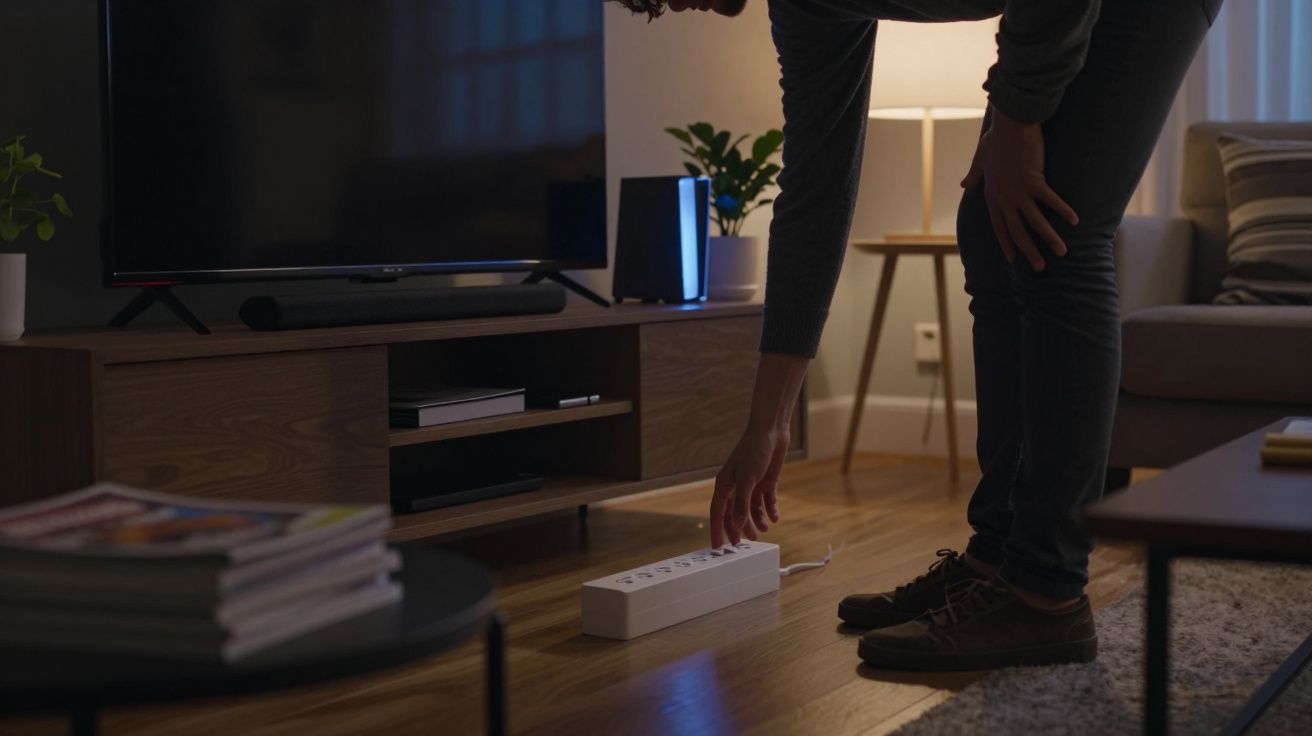
Many households now patrol sockets before bed, unplugging phone chargers or turning the kettle off at the wall. Energy bills and headlines about “vampire” power have made the red standby light feel suspicious. Yet electricians point to a different culprit that quietly burns through far more electricity while you sleep.
In most homes, the single most effective plug to switch off at night is not in the kitchen or bedroom at all. It sits low on the skirting board or hidden behind a TV cabinet, feeding a tangle of black cables.
Electricians consistently highlight the same target: the multi‑socket extension powering your TV and entertainment set‑up. That one switch can cut more phantom energy than chasing half a dozen small chargers around the house.
The plug electricians go for first
Ask electricians where they start when helping clients trim standby use and you hear a similar story. They head straight to the living room. Behind the television, they usually find a block or tower extension loaded with:
- The TV itself
- A set‑top box or streaming stick
- A soundbar or speaker system
- A games console
- Perhaps a DVD player, TV box or extra gadget that “never quite got unplugged”
Every device seems “off”, yet each one often draws a small but steady trickle of power. A modern TV on standby may sip only 0.5–3 watts. A set‑top box, router or games console can use several watts more, especially if left in a fast‑start mode.
Electricians describe that TV extension as “the power strip that never really sleeps”.
Individually, those numbers look minor. Together, they add up. That is why professionals recommend the plug for your living‑room extension as the first one to switch off at night if you want a quick, low‑effort win.
Why the TV corner quietly costs you money
Phantom energy – also called standby or vampire power – is the electricity devices draw when you think they are off. Anything with a remote control, a glowing light, a quick‑start feature or a digital clock almost certainly uses some power in the background.
In a typical living‑room cluster, electricians often see total standby loads in the region of 15–40 watts. That does not sound dramatic, but the maths changes when the draw lasts all night, every night. Over eight hours of sleep, 25 watts of standby translates to 0.2 kilowatt hours. Over a full year, that alone can reach roughly 70 kWh – a noticeable chunk on your bill.
Add in weekends away or days when nobody is using the equipment and the waste grows. The entertainment plug simply keeps feeding that extension because nobody remembers, or wants to crawl behind the cabinet, to turn it off.
There is a second concern too. Old or overloaded extension blocks tucked behind furniture run warmer and gather dust. Reducing the time they carry load cuts both energy waste and a small slice of fire risk.
How much you could actually save
The exact saving depends on your kit and tariff, but electricians often illustrate it with simple comparisons. Think in terms of “small appliance equivalents” rather than abstract kilowatt hours.
| Living‑room standby stack | Rough annual energy use | Comparable to… |
|---|---|---|
| ≈ 15 W overnight | ≈ 40–50 kWh | 20–25 dishwasher cycles |
| ≈ 25 W overnight | ≈ 60–80 kWh | One extra fridge‑freezer’s yearly standby |
| ≈ 40 W overnight | ≈ 100–130 kWh | Running a modern washing machine for hundreds of cycles |
On a typical UK unit price, even the middle scenario can mean several tens of pounds a year just to keep unused electronics ready to wake instantly. Turning that single plug off when you go to bed keeps the convenience by day but strips out most of the waste by night.
One well‑placed nightly switch often beats unplugging a handful of small chargers scattered around the house.
The financial saving grows if you are also home during the day but not actively using the TV corner. Leaving the extension on from breakfast until midnight means nearly two‑thirds of the day spent idling.
How to make that one switch easy to flip
The biggest barrier is not technical; it is practical. People simply do not want to scrabble behind units or remember a fiddly routine at the end of a long day. Electricians therefore focus less on lecturing and more on making the “off” switch effortless.
Common, low‑cost options include:
Use a switched extension block
Replace an unswitched strip with one that has a clearly visible rocker switch and indicator light. Place it where you can reach it without moving furniture.Add a remote or foot switch
Plug the existing extension into a single remote‑controlled socket or a floor pedal switch. You then click everything off from the sofa or as you walk past.Try a smart plug for the entire stack
A smart plug that handles the total load lets you schedule the TV corner to turn off automatically at, say, 11.30pm and back on at 6.30pm.Label the “night‑off” plug
A simple tag on the socket (“TV off at night”) serves as a reminder for everyone in the household.
If you rely on your set‑top box to record late‑night programmes, you can leave that one device on a separate socket and move the rest of the kit to a controllable strip. Electricians often rearrange plugs this way during energy‑efficiency visits so that one nightly switch does not disrupt a specific habit.
Other plugs to tackle once the TV is sorted
After the living‑room extension, professionals usually work down a short priority list. They aim for sockets that feed several items and stay on by default, rather than chasing tiny loads.
High‑impact candidates
Home‑office extension
Desktop computers, monitors, printers, speakers and chargers often sit on a single strip. Unless you run overnight backups, cutting that plug at bedtime can stop a surprising amount of unseen use.Kitchen gadget corner
Coffee machines with warm‑up LEDs, microwave clocks, smart speakers and under‑cabinet lighting frequently share a double or triple socket. A single switch or timer on that outlet caps the hours they idle.Spare‑room and gaming setups
Older consoles, hi‑fi units and hobby equipment tend to be left on standby for long stretches. Grouping them on a controlled extension helps.
The principle stays the same: identify clusters where several non‑essential devices share one plug, then give that plug an easy, reliable off switch.
Plugs you should usually leave alone
Electricians also stress that not every plug is fair game. Some loads are designed to run 24/7 or control safety‑critical systems.
In most homes, you would not normally switch off at night:
- Fridges and freezers – food safety depends on constant cooling.
- Boilers, heating controls and circulation pumps – they may run short cycles overnight even when rooms feel quiet.
- Medical equipment – anything supporting health or sleep should stay powered unless a clinician advises otherwise.
- Security systems and some routers – alarms, cameras and certain phone or broadband services rely on continuous power.
If in doubt, electricians advise treating a plug as “always on” until you have checked the manual or had professional guidance. The goal is to trim waste, not to interrupt essential services.
A simple bedtime checklist
Turning off phantom energy does not need a spreadsheet or a smart‑home overhaul. A short, repeatable routine works best, echoing the way hotels handle lights and air‑conditioning when guests leave a room.
- Flick off the TV/entertainment extension plug – your first and biggest win.
- Turn off the home‑office strip if nobody is working overnight.
- Check the kitchen corner for machines with glowing lights or clocks you do not rely on.
- Leave fridges, freezers, alarms, boilers and medical kit on as usual.
- Once a month, glance behind furniture for extensions that feel warm or overloaded and consider upgrading them.
Over time, this becomes as automatic as locking the front door. The crucial change is mental: you stop seeing phantom energy as a thousand tiny, hopeless leaks and start with one strategic switch that does most of the work.




Comments
No comments yet. Be the first to comment!
Leave a Comment